From Collection to Exhibition
Turn your collection into a museum people can understand, manage, and experience.
MuseumBuild guides your team from the first photograph and inventory record through cataloging, QR labels, public pages, and ongoing museum care — with an AI Museum Coach guiding every step.
Built for museums that have important stories — and limited time, staff, or museum expertise.
Family & private museums
Bring family objects, ownership, history, privacy, and exhibits into one guided system — start with one person, no staff required.
Learn more →Historical societies
Organize mixed collections and archives, post volunteer shifts, run projects with outside helpers, and publish local stories.
Learn more →Small museums
Connect formal collections work with exhibits, loans, conservation, and public access — everything one small paid or volunteer staff needs.
Learn more →Larger & professional operations
Multiple staff seats with roles, a real loans/insurance ledger, conservation budgets, and a full project & meeting toolset for cross-department work.
Your collection shouldn't depend on scattered files and one person's memory.
Before MuseumBuild
- Spreadsheets and handwritten location lists
- Photographs scattered across separate folders
- Exhibits planned in conversations and sketches
- Labels copied and rewritten by hand
- Work assigned verbally, easy to forget
- No reliable review cycle
With MuseumBuild
- One connected collection record
- Verified, QR-trackable locations
- Rooms and cases planned before anything moves, with tasks generated automatically
- Approved labels and public pages built from the same record
- A visible next step, always
- Condition checks that keep the collection cared for, not a one-time project
One guided path from collection to exhibition
Every stage below is live today, working end to end on real records — not a mockup.
The real registrar flow, in plain language: a Temporary Custody receipt when something arrives (with the donor's story captured at the door), formal accession when you accept, an e-signed Deed of Gift, and permanent year.accession.item numbers.
Ownership, condition, location, and movement history, always answerable.
Upload source documents, add curator notes on how each object fits, and get AI help connecting them — then build a real Story Spine: a big idea, an ordered narrative, and the evidence behind each claim, publishable as its own page.
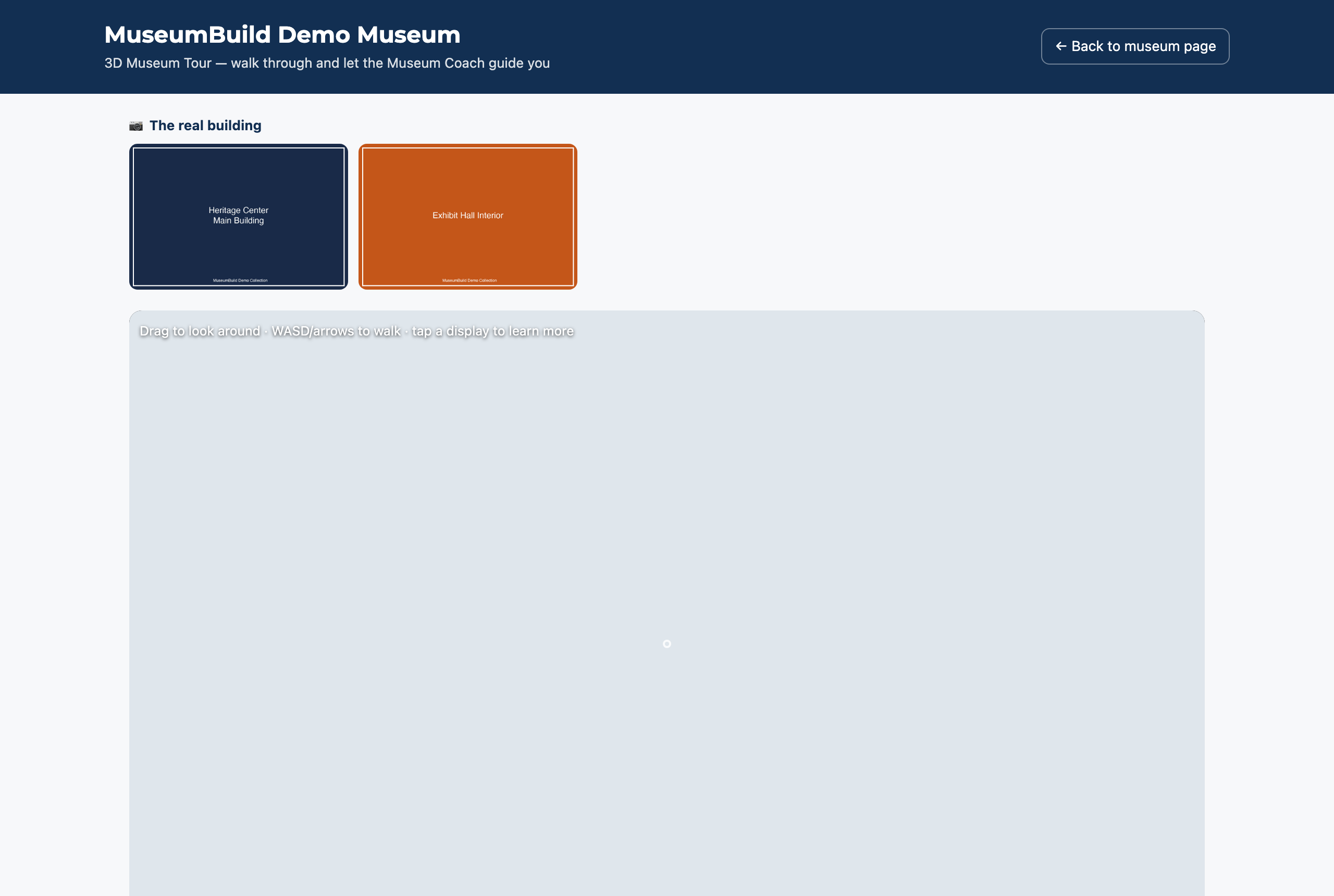
Define a room, add walls/doors/windows/stairs, place tables and display cases, and rotate objects on and off display — then walk it as a real explorable 3D tour.
Placing an object generates its installation task automatically — check it off as you install.
QR labels, a walkable 3D museum tour, and digital exhibit pages, all built from your approved, reviewed records.
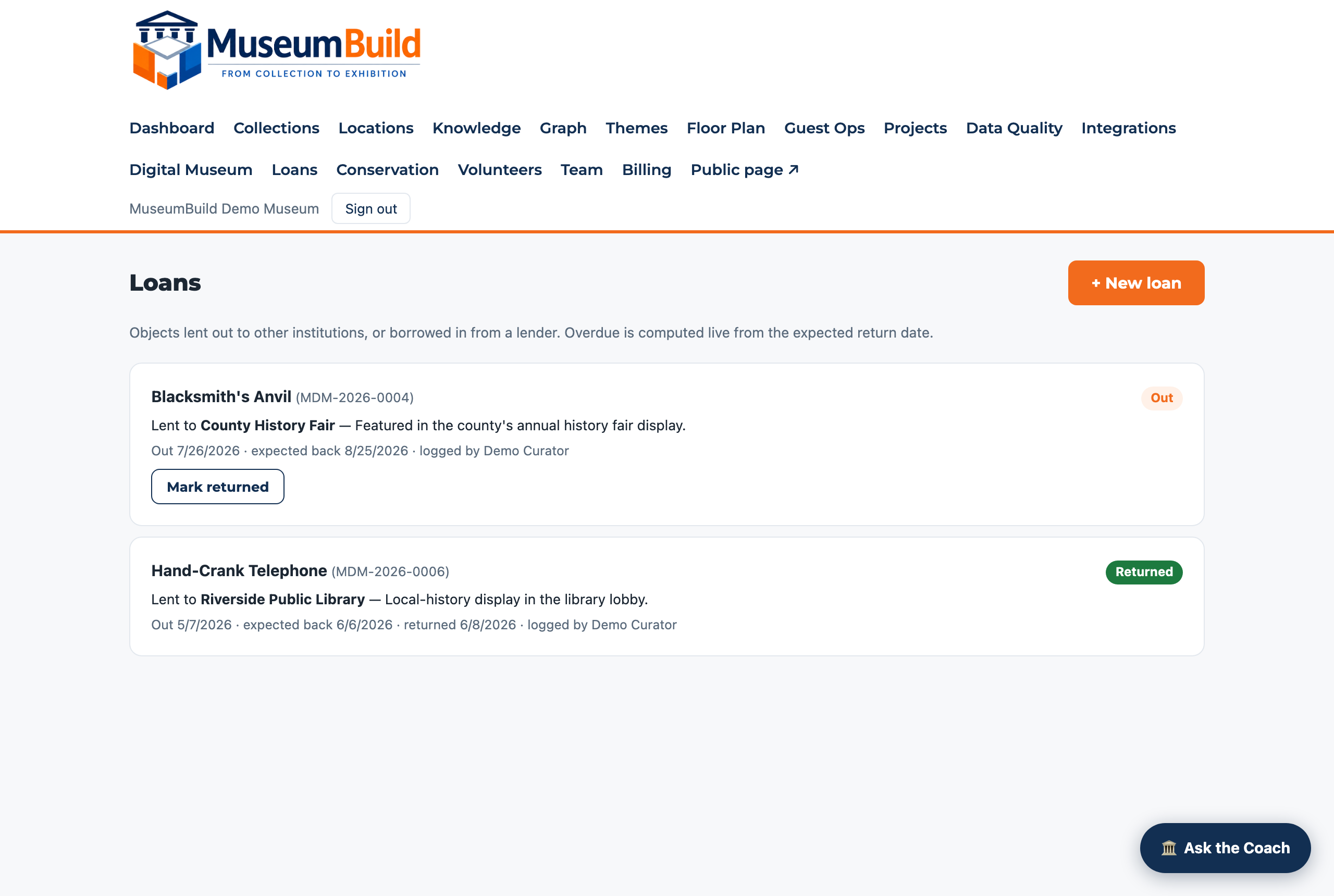
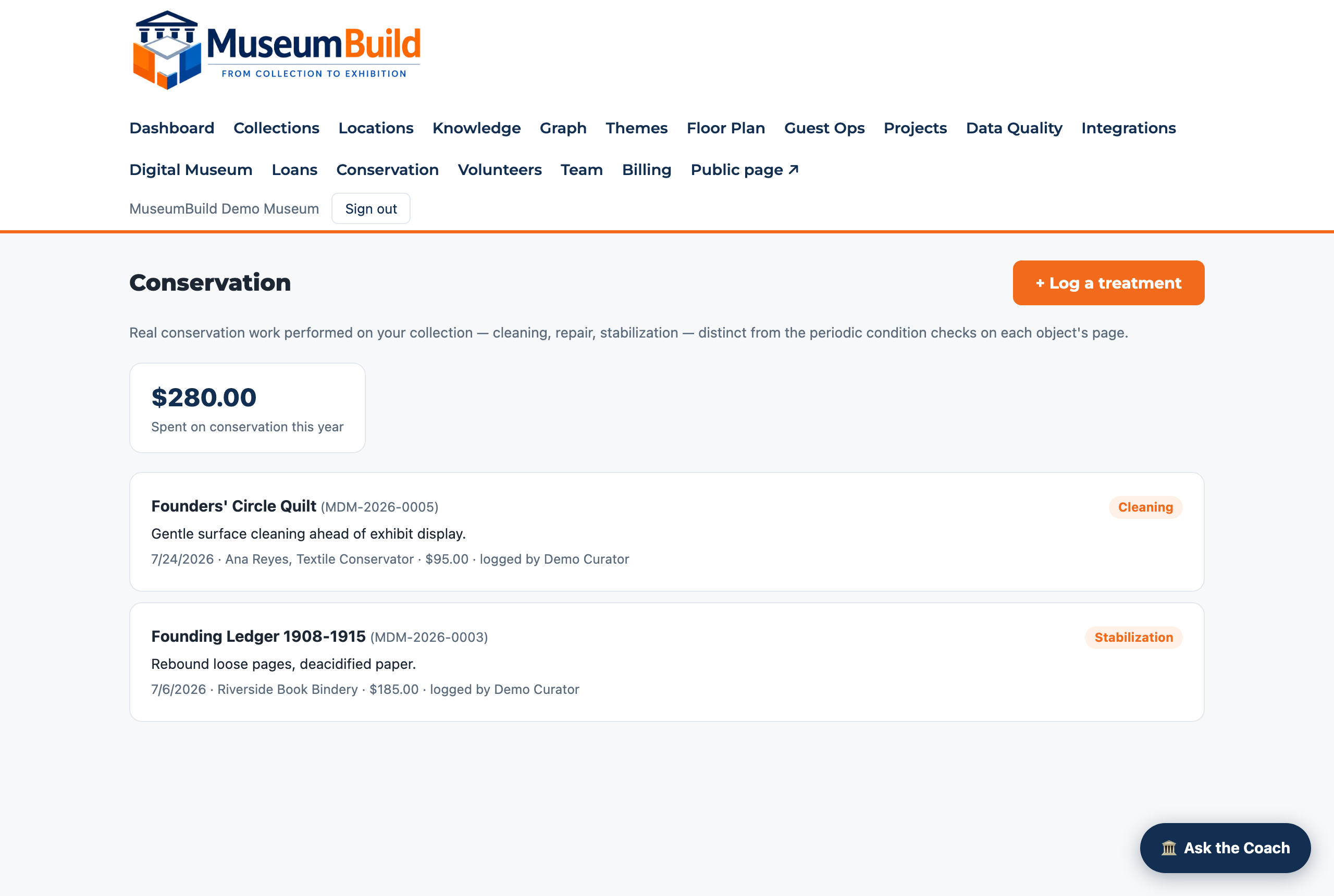
Graded condition checks on a review cycle you set per object, an append-only value history, conservation treatments with real costs, and multi-object loan agreements signed electronically — the dashboard flags anything overdue.
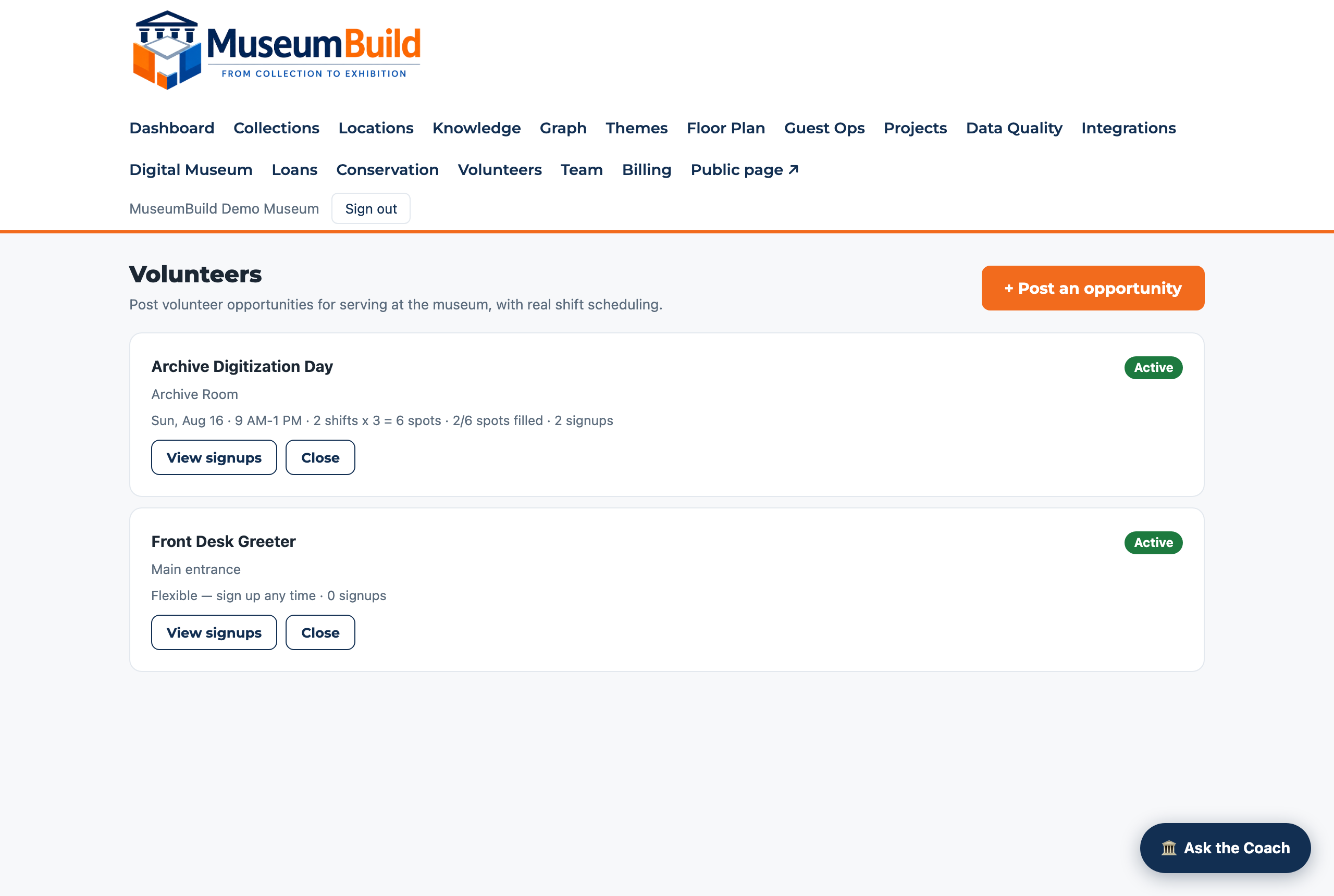
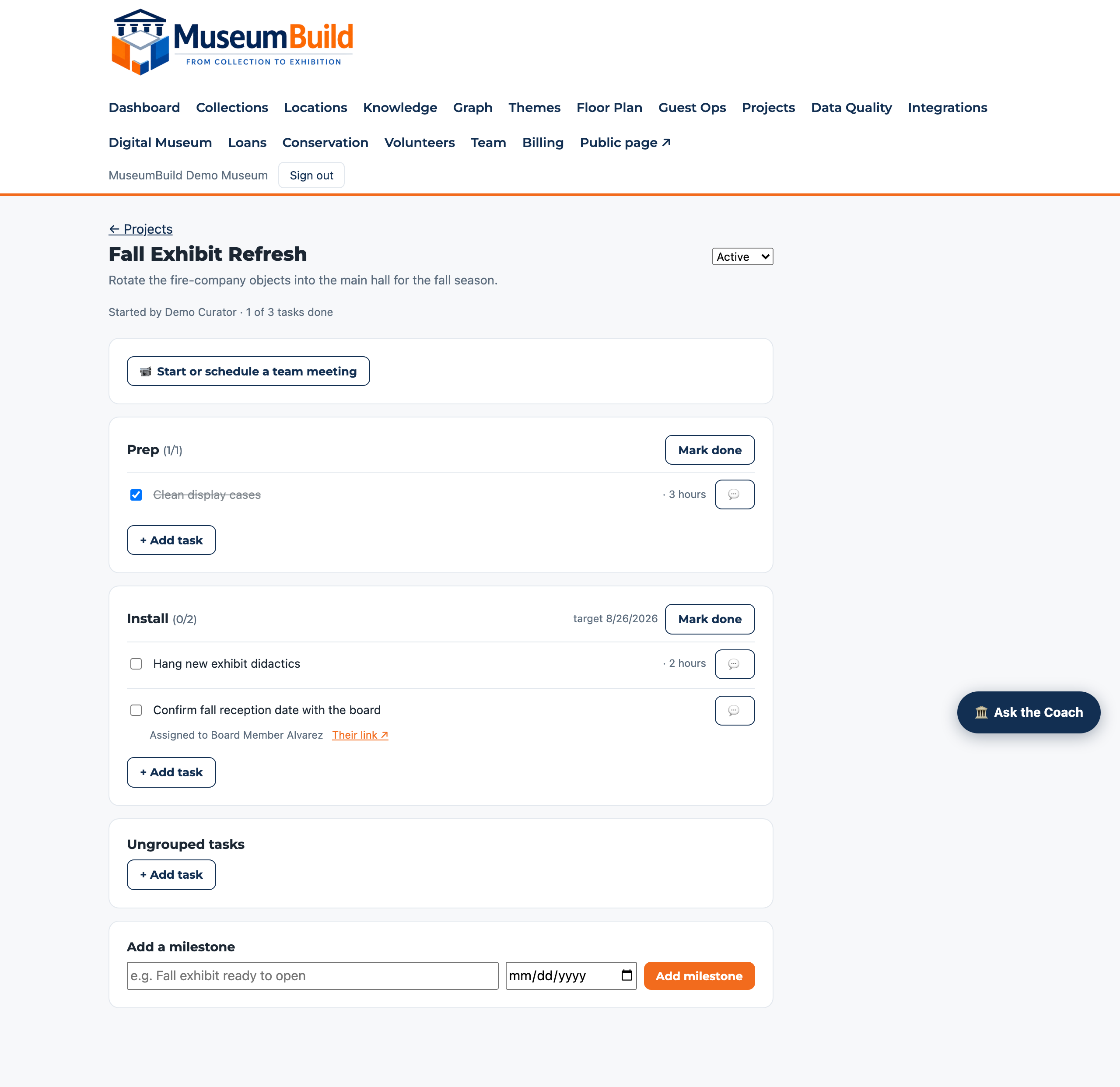
Post volunteer opportunities with real shift scheduling, run projects with milestones and outside collaborators, and hold live video meetings with recorded minutes.
Watch one museum's story take shape
Every screen below is the same real collection — a small historical society's fire bell, ledger, and parade uniform — moving through MuseumBuild step by step. Not eight separate features: one record getting more complete, start to finish.
Step 1 — Catalog
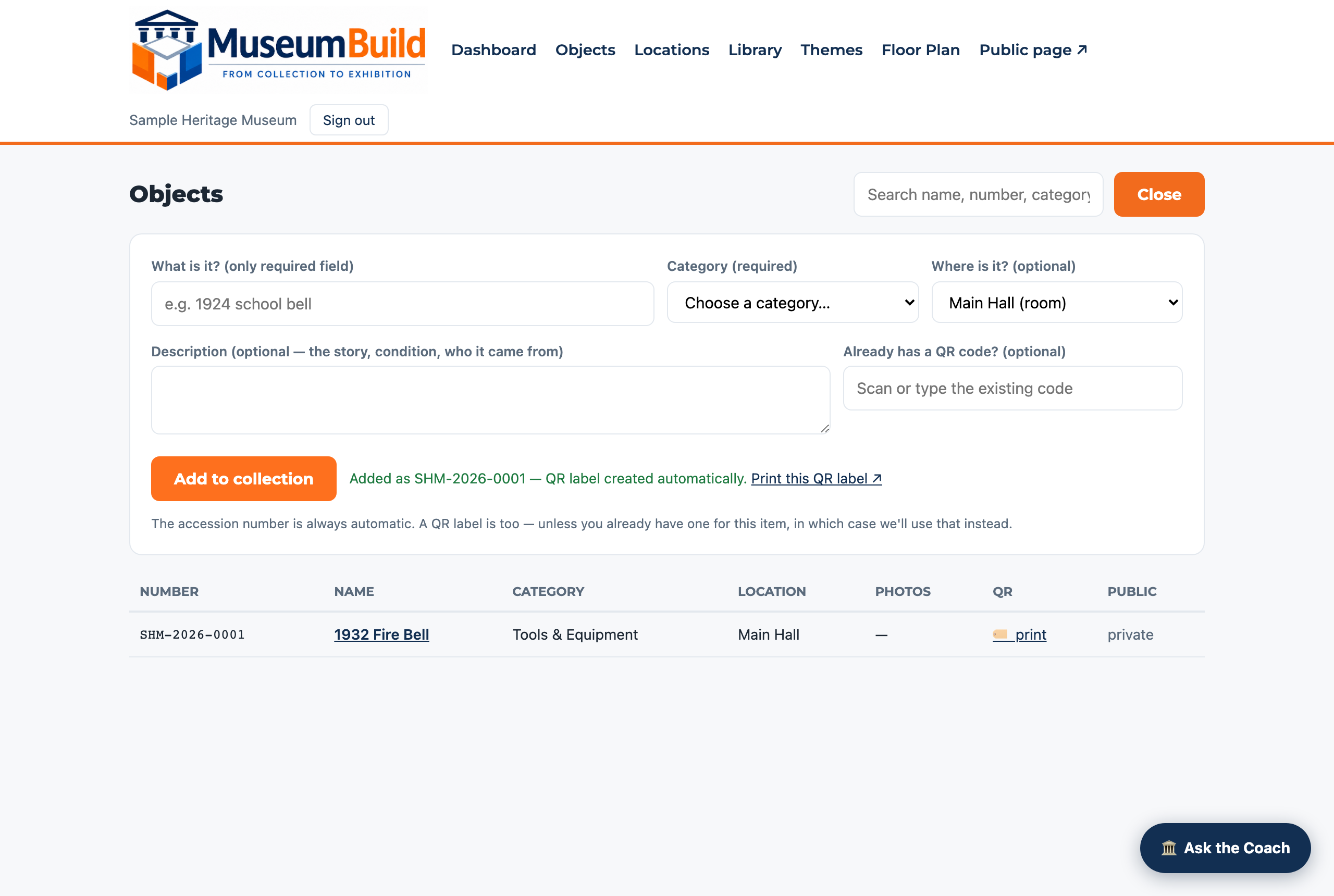
It starts with a name and one required field.
The fire bell went in as “1932 Fire Bell,” Tools & Equipment, one photo, one sentence. The accession number and a QR label are generated automatically — nothing else is required to start.
Step 2 — Bring in what you have
Upload the sources, not just a summary.
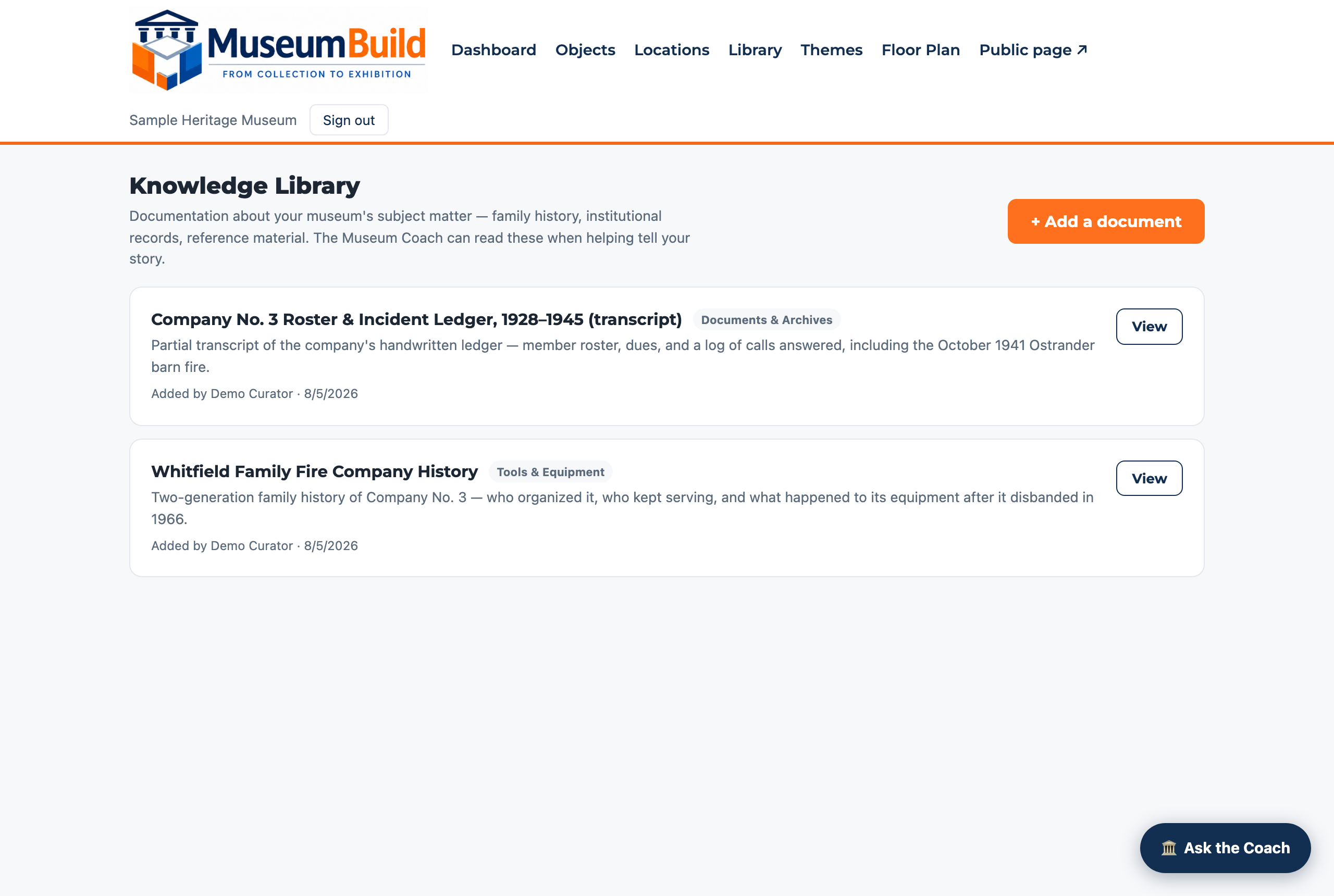
The curator added two independent documents to the Knowledge Library — a family history and a transcript of the company's own incident ledger — organized by category so the Coach, and any future curator, can find them.
Step 3 — Ask what it means
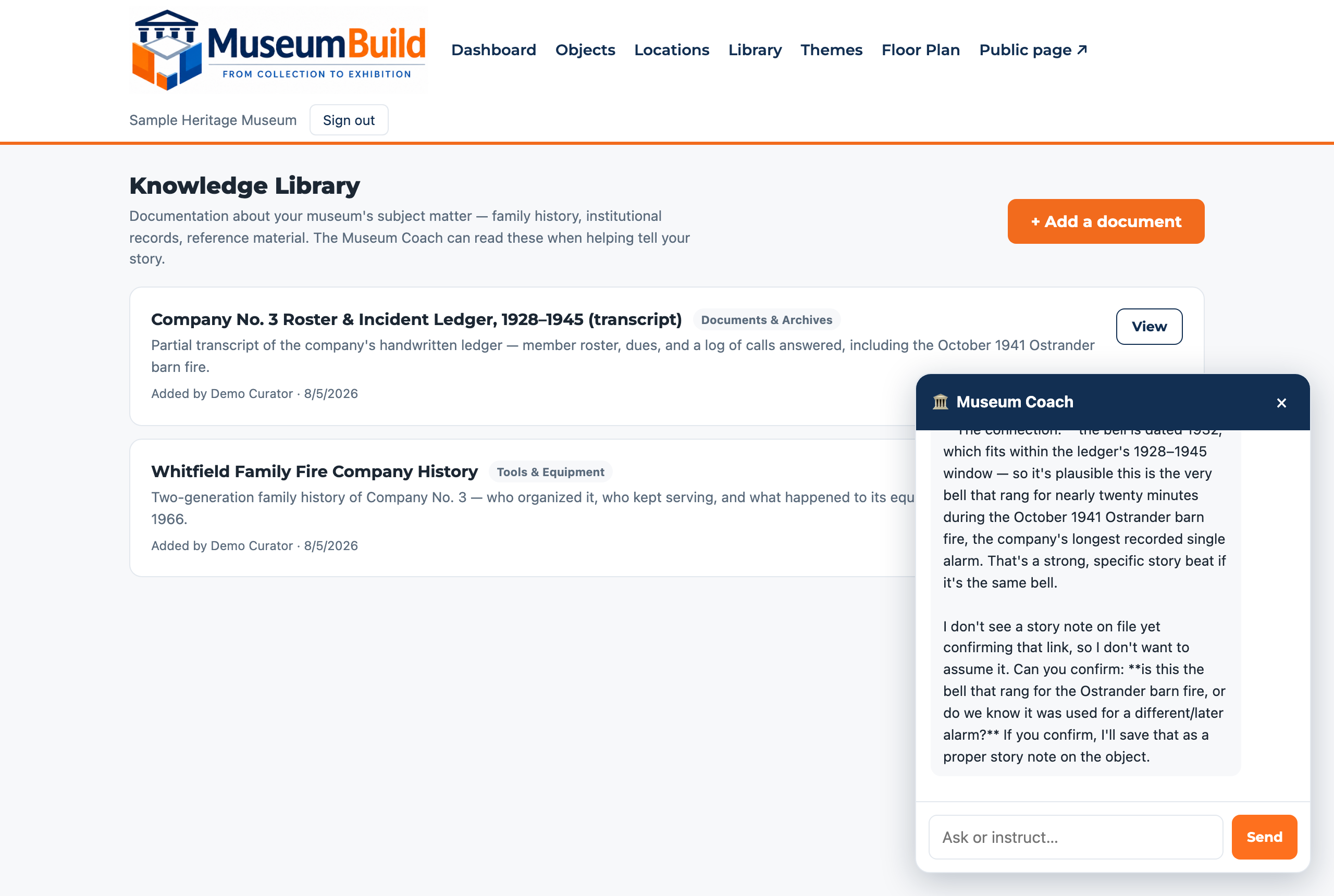
The Coach reads what you have — and asks before assuming.
Asked how the ledger connects to the bell, the Coach actually read both documents, spotted a plausible link by date — then stopped and asked the curator to confirm it rather than guessing. That answer becomes a real note, in the curator's own words.
Step 4 — The story deepens
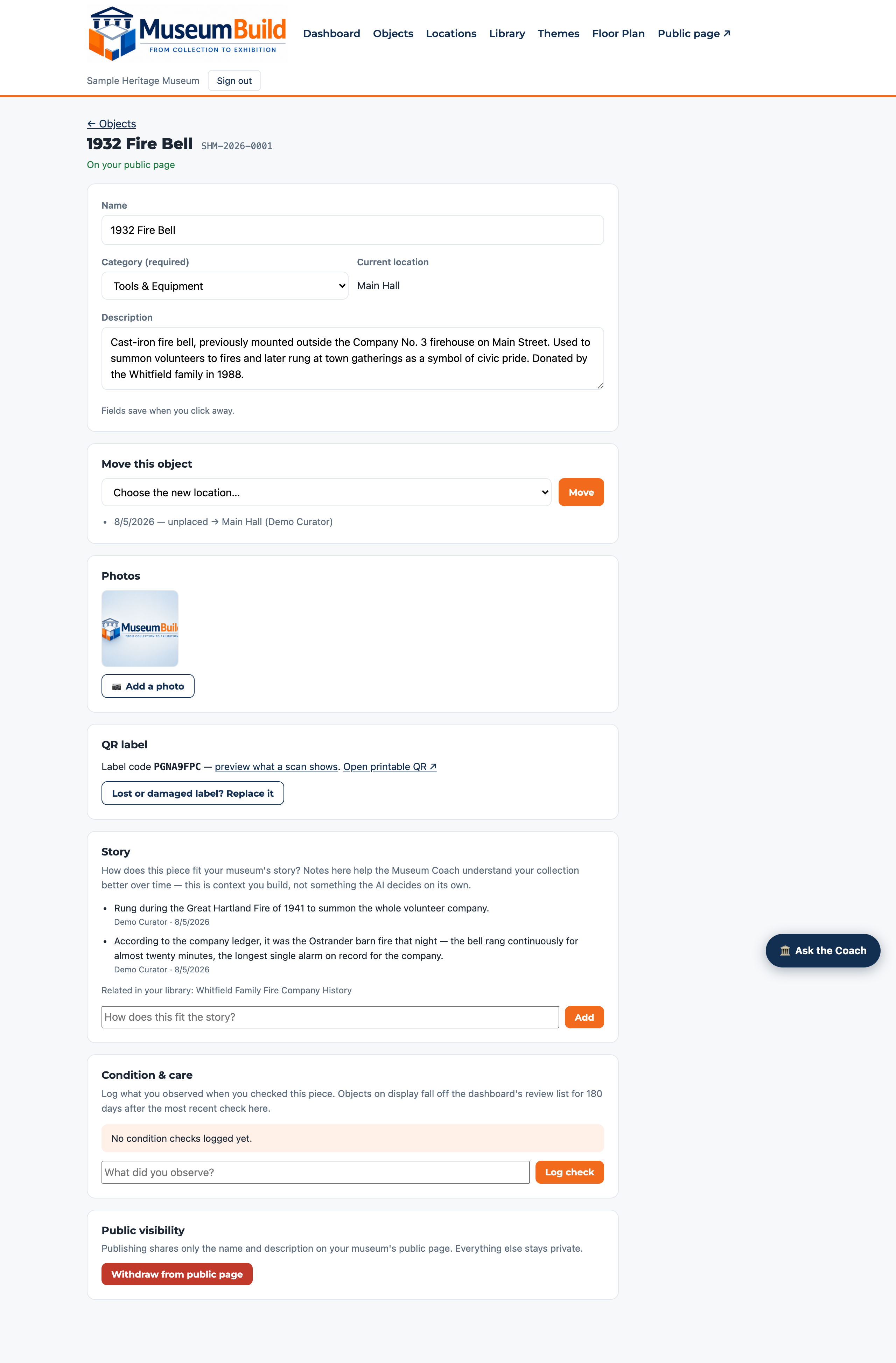
Two notes, added days apart, that build on each other.
First the family memory. Then, once the ledger was in hand, a specific date and a detail no one had recorded before — the bell rang for nearly twenty minutes, longer than any other alarm on record. Nothing here is invented; every line is something a document or a person actually said.
Step 5 — Plan the room
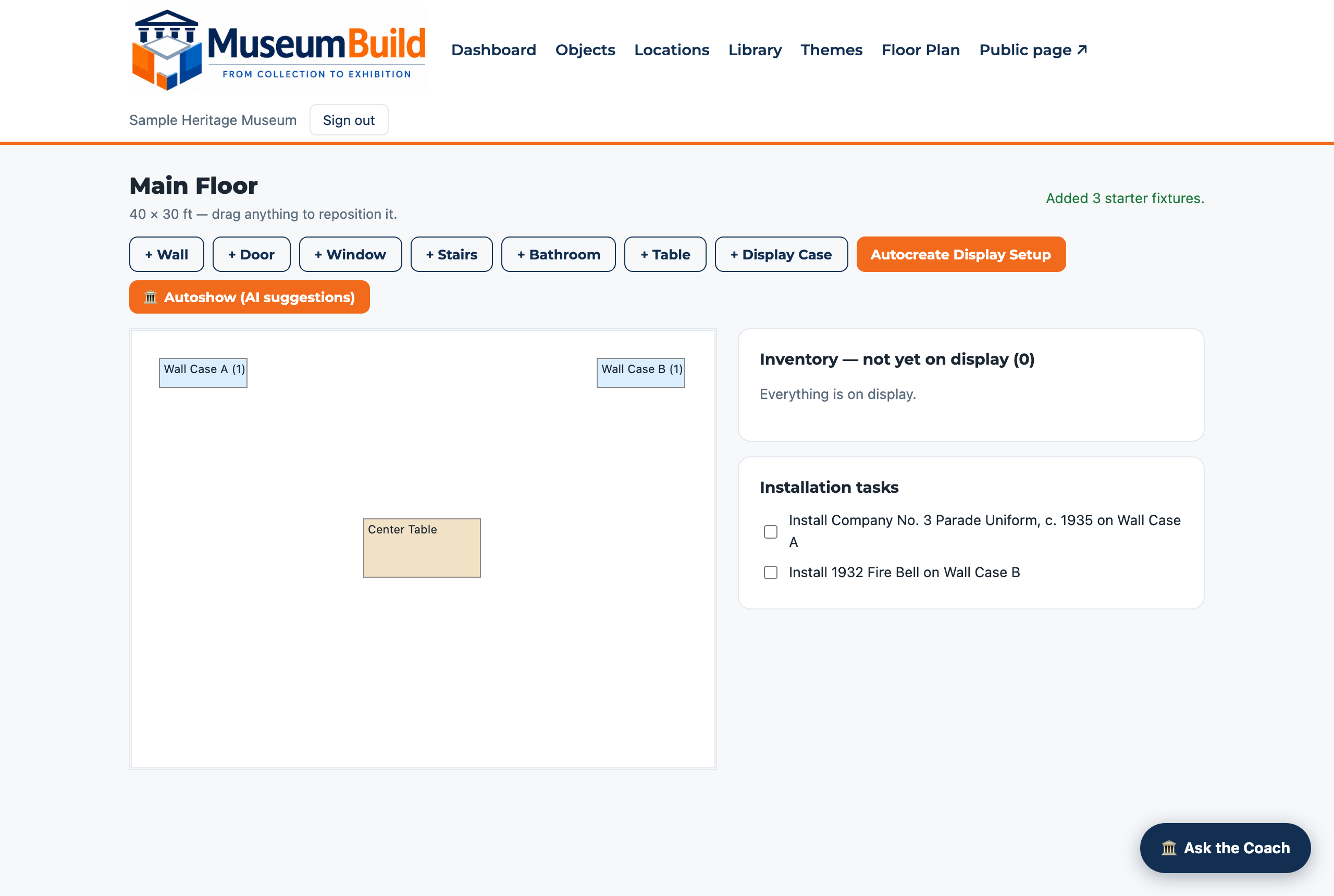
Then it goes on display — planned, not improvised.
The bell and its companion parade uniform both went into the same room, each on its own case. Placing an object generates its installation task automatically — no separate list to keep in sync.
Step 6 — Connect it to everything else
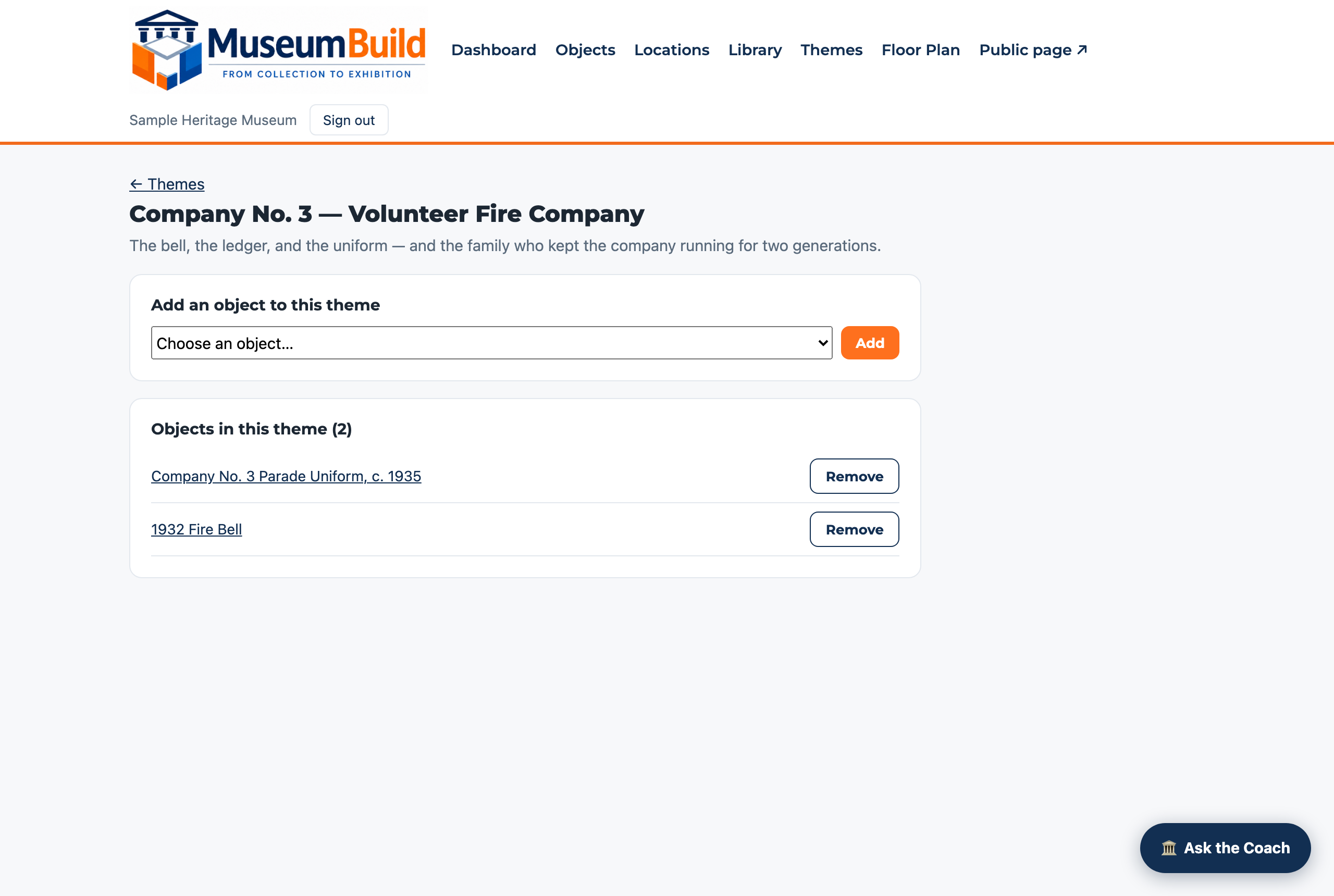
The bell isn't the whole story — group what belongs together.
Both objects — and the family who kept them — now live under one named story theme. Each object still keeps its own record; the theme is what ties them into a narrative a visitor can follow.
Step 7 — Care for it, not just once
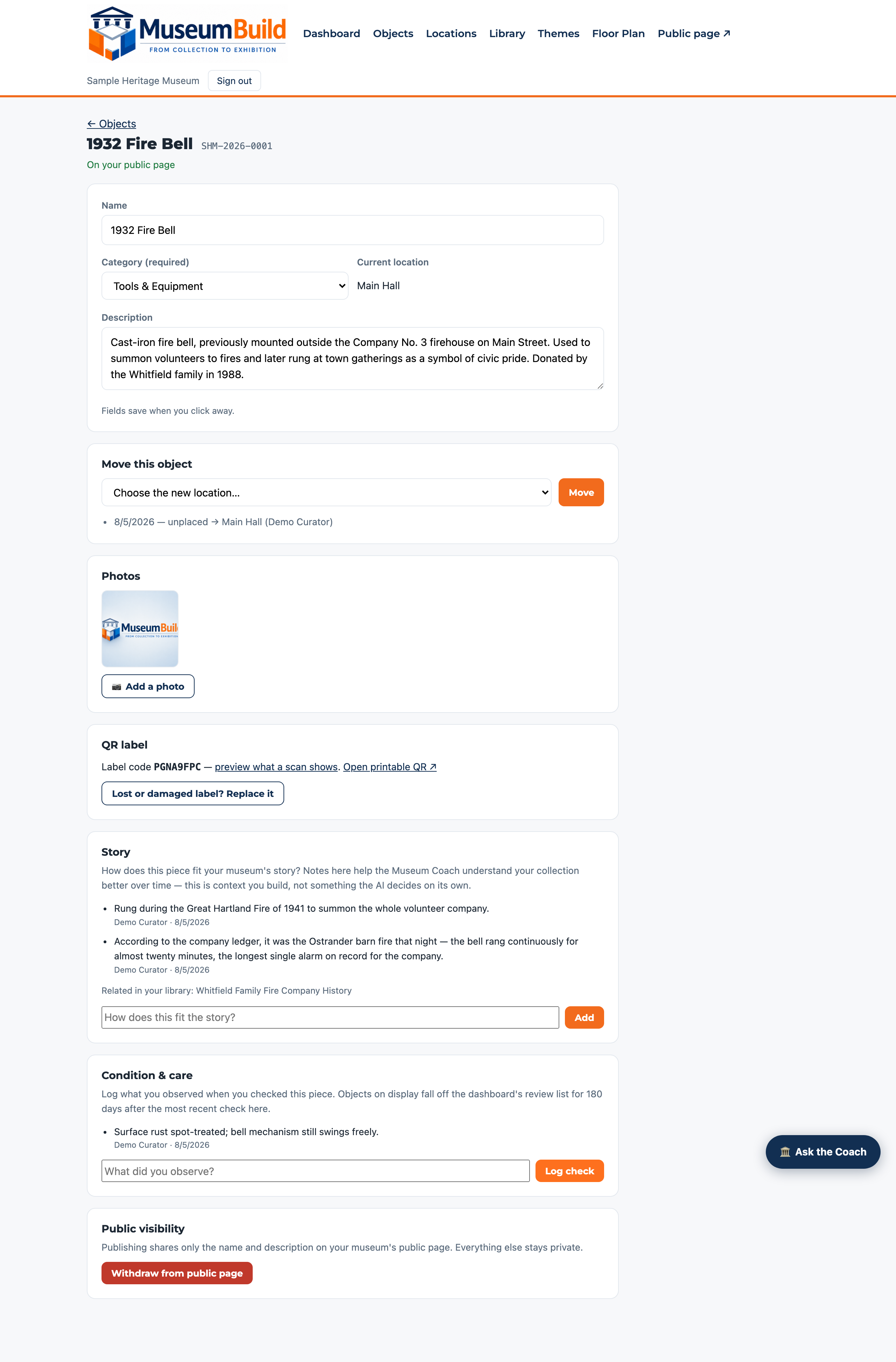
A real review cycle, not a one-time project.
The curator logged what she actually observed. The dashboard will flag this object again automatically once 180 days pass without a new check — computed live from real timestamps, never a fabricated schedule.
Step 8 — Share it
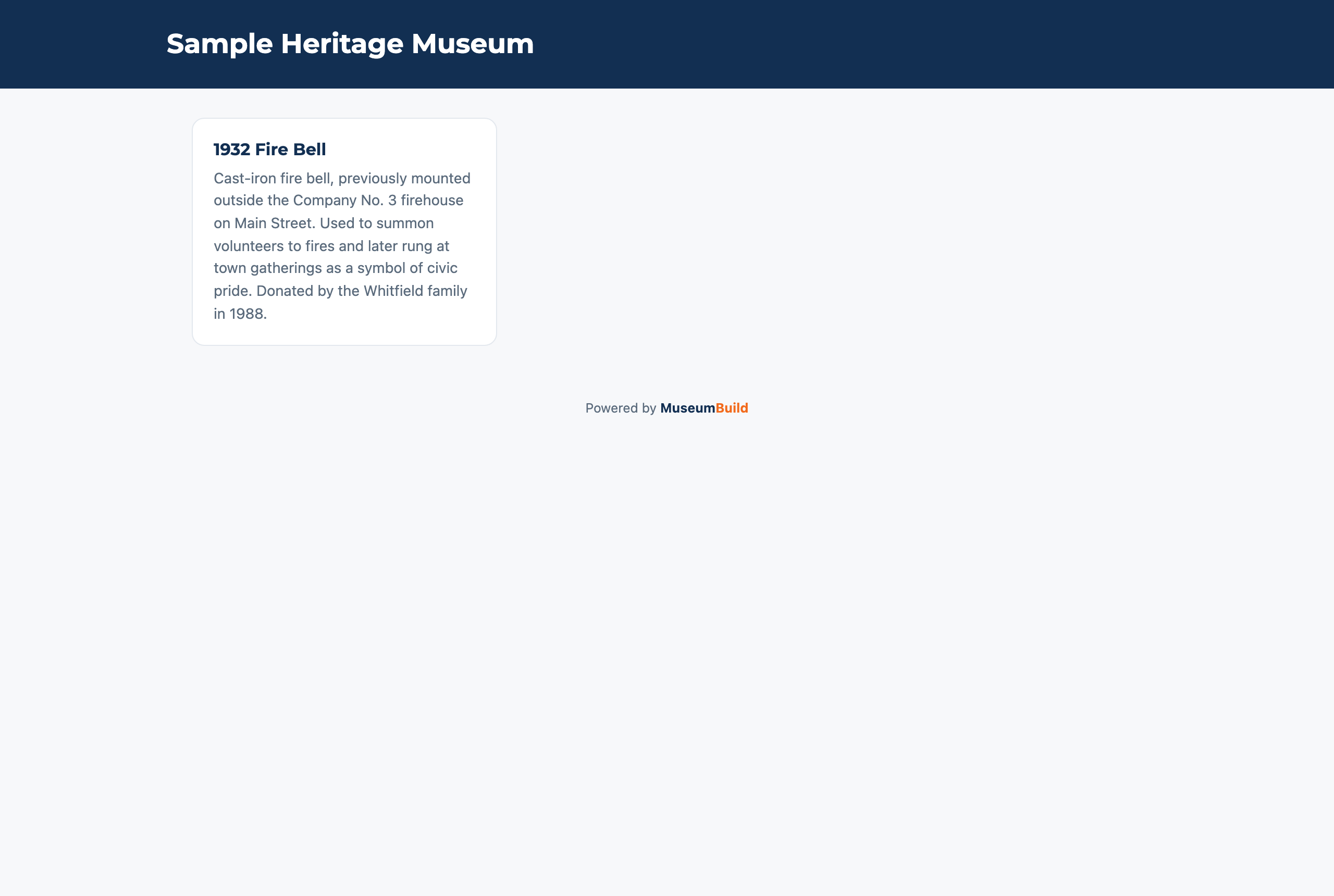
Approve it once. The public sees the story, not the paperwork.
Publishing shares only the name and description the curator approved — donor details, values, and exact locations never leave the private workspace. This is the same record, six steps later, now something a visitor can actually read.
Beyond cataloging — everything a growing museum needs
The same account scales from one volunteer working evenings to a professional staff running multiple departments — same objects, same records, more capability turned on as you need it.
Start with the problem you have today
Accept a donation properly
- Write a custody receipt at the door
- Capture the donor's story while they're there
- Accession and e-sign the Deed of Gift
- Objects numbered year.accession.item
Inventory a room
- Photograph objects
- Create quick records
- Assign QR locations
- Produce a room inventory
Organize boxes & storage
- Build a storage hierarchy
- Track movement as things are shelved
- Find any object instantly by its QR code
Publish the collection
- Choose which objects to share
- Publish approved names & stories
- Keep donor info and values private, always
Your story is scattered across attics, states, and memories.
This is what weaves it back together.
The items that carry your history live in different houses, different towns, different boxes. MuseumBuild ties them together, gets every voice into the record, and turns documenting it into the part everyone looks forward to.
Scattered treasures, one story
Grandpa’s medals in Ohio. The letters in a cousin’s closet. The photos nobody can name. Catalog each piece where it lives, link it to the people, places, and events it belongs to — and watch one story emerge from a dozen attics.
Scan it, and it speaks
Every object gets a permanent QR label the moment it’s cataloged. Years from now, whoever finds the box scans the tag and the whole story opens — what it is, where it came from, who told its story. Identification that never fades.
Everyone gets to tell it
Invite the whole family or the whole crew. Everyone signs in and adds what they know — the dates, the names, the “actually, that was Aunt Ruth’s.” The history gets captured together and defined concretely, while the people who know it are still here to tell it.
It shows you the missing pieces
The Story Builder knows where your narrative is thin — which claim has no evidence, which object has no story yet, which chapter needs one more interview. You always know exactly what to dig up next.
AI that guides — and teaches as it goes
Ask the Coach anything, any time: it answers, does the work with you, and transfers the knowledge to you. And the Museum Manager Agent checks the whole museum every day, telling you what deserves attention before it becomes a problem.
Training that makes you the expert
Don’t know what a Deed of Gift is, or how to check condition? Take a short course — real museum practice, taught in plain language, with quizzes that prove you’ve got it. The software teaches the profession while you use it.
It coordinates people, not just objects
Projects, goals, milestones, volunteer shifts, video meetings — set the goal, and the same system that holds the story coordinates the people bringing it to life.
Smooth. It flows.
From the moment something arrives to the moment its story goes live in a walkable 3D museum, it’s one guided flow. Digging up and documenting your history stops being a chore — it becomes the fun part.
…and the professional backbone underneath it
Everything the story side stands on is real museum machinery — the kind registrars trust.
The real registrar workflow
Temporary custody receipts, formal accessions, restrictions that never get forgotten, permanent year.accession.item numbers — the same discipline professional registrars trust, taught in plain language as you use it.
Signatures, not filing cabinets
Deeds of Gift and multi-object loan agreements are signed electronically on the donor’s own phone — typed legal name, exact document text frozen forever. No mail merge, no stamps, no “gift or loan?” arguments years later.
One giving ledger
Donors, donations, campaigns with live progress-to-goal, pledges with payment schedules — and every dollar ties to the same contact who gave the objects. Collections and fundraising were never meant to be two systems.
Connected to the wider museum world
Every museum is a standing OAI-PMH repository — harvestable by the Digital Public Library of America — and speaks IIIF, so your public collection opens in scholarly viewers worldwide. No export step, ever.
Easy to arrive, free to leave
Coming from PastPerfect? Drop their export into the import wizard and move in an afternoon. And your data is never hostage: full-field export plus open standards, any time. See the switch guide →
Built with a real museum
Not invented in a software conference room.
MuseumBuild's first reference museum is a real family collection — mixed objects and archives, volunteer leadership, and the same recurring cataloging and publishing needs any small museum has. As that pilot progresses, we'll share real numbers here, not projections.
Simple to use does not mean careless with the collection.
Publishing, and every other consequential decision, stays a deliberate human action. Read more on Security & Trust.
Priced so every institution can belong.
One activation fee, one low monthly subscription, no per-volunteer charges.
See PricingQuestions
Do we need to be an accredited museum?
No. MuseumBuild is built for family collections, historical societies, and small museums, not just accredited institutions.
Can volunteers use it?
Yes — cataloging an object requires only a name. Everything else can be filled in over time.
Can we import spreadsheets?
Not yet — bulk import is on our roadmap. Today, objects are added one at a time, by hand or with the Museum Coach's help.
Can we print labels and QR codes?
Yes — every object gets a QR label automatically, printable on demand, and you can link an existing physical code instead if one's already on the item.
Can we design rooms and exhibits?
Yes — the Exhibit & Floor Planner lets you lay out rooms, walls, doors, cases, and tables, place objects from inventory, and generate installation tasks automatically.
Does the AI make museum decisions?
No. The Museum Coach can catalog, look things up, and answer questions, but never deletes, publishes, or withdraws anything — those stay human-click-only.
Can we keep values and locations private?
Yes. Publishing shares only a name and description you explicitly approve — donor details, values, and exact locations never leave your private workspace.
Can we export our data?
Yes, always — your data is never locked in.
What happens if we cancel?
You keep access to export your data; nothing is held hostage.
Can volunteers sign up online?
Yes — post an opportunity with a real shift schedule and volunteers sign up on a public page, no login required. Capacity is enforced automatically.
Can we run projects with people outside our staff?
Yes — assign a task to an outside collaborator by name and email; they get a no-login link to see their work, mark it done, and leave comments, with dependencies and milestones tracked the same as staff tasks.
Can we hold virtual team meetings in MuseumBuild?
Yes — schedule or start a video meeting from any project, with calendar invites sent automatically to the whole team.
Can we track loans and conservation work?
Yes — record objects out on loan (and returned), and log conservation treatments with real costs, so that history stays with the object permanently.
How many staff can use MuseumBuild?
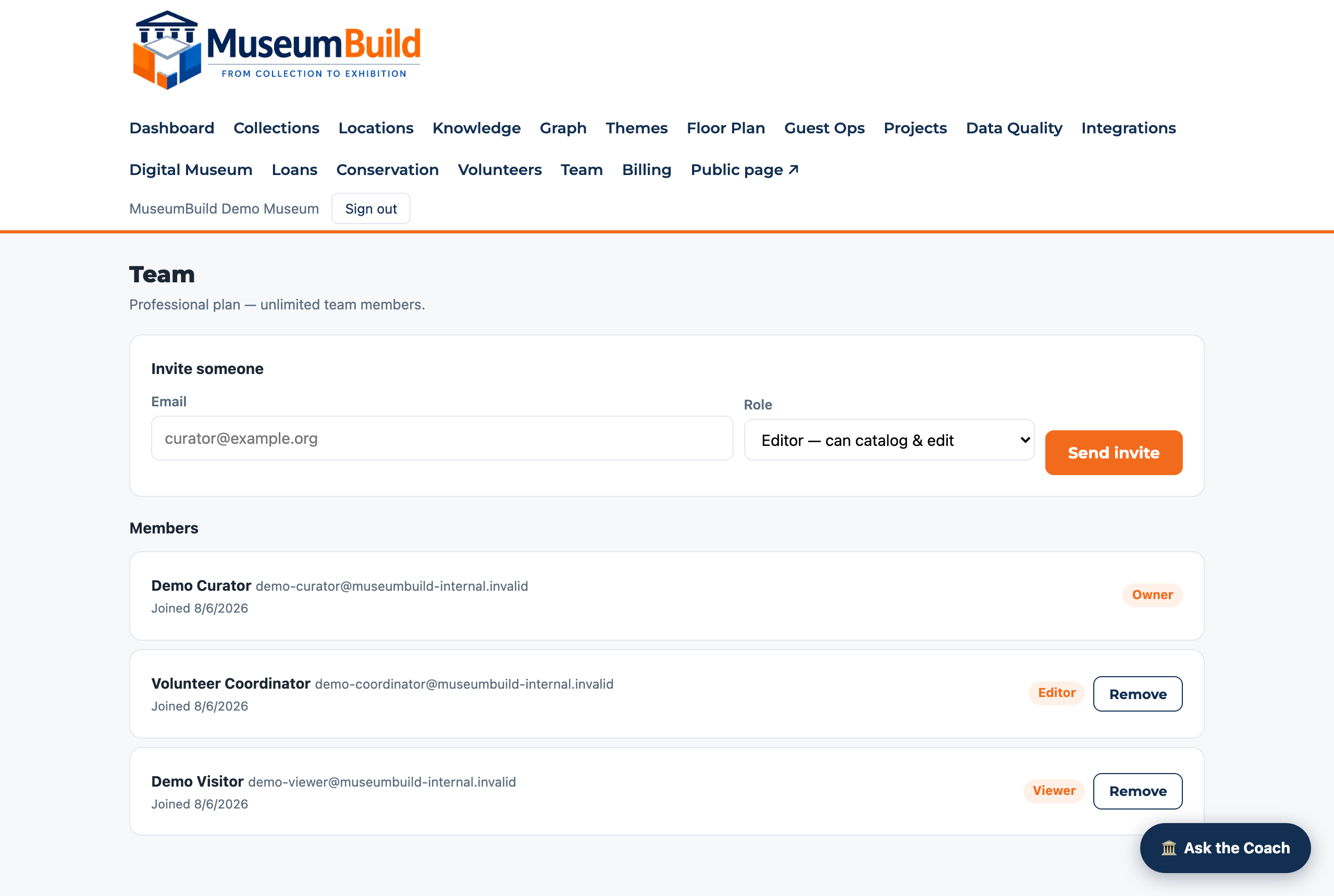
Trial and Essentials plans include a small number of seats; Museum and Professional plans support larger teams, with role-based access for owners, editors, and read-only viewers.
Your museum doesn't have to be fully organized before you begin.
Start with one room, one collection, or one exhibit. MuseumBuild helps your team understand where you are, decide what comes next, and keep the work moving.